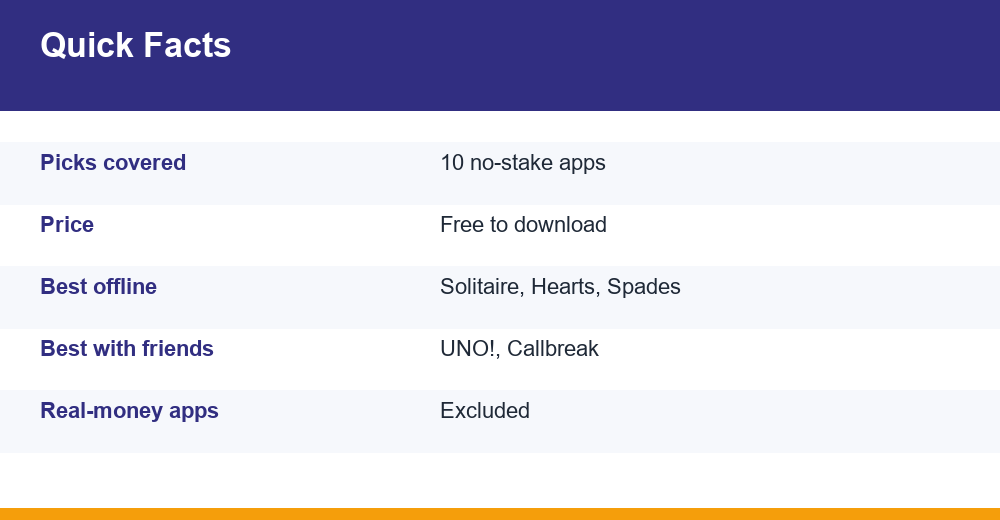
This guide covers the best free card games for Android that never ask you to deposit money, bet chips you paid for, or cash out winnings. Every pick is a plain card game: Solitaire, UNO, Callbreak, Hearts or Spades. We compare them on the three things Indian players ask about most: offline play, playing with friends, and how heavy the ads are.
Table of Contents
How we picked these games
The Play Store is full of card apps that look free but are built around cash tables. We left all of those out. A game made our list of the best free card games for Android only if you can play every mode without depositing money, and if no mode pays out real cash.
Then we checked each game’s Google Play listing for three things: whether it runs without internet, whether you can play with real people, and whether the listing says it shows ads or sells in-app items.
- No stakes: coins and chips, if the game has them, can’t be turned back into money.
- Offline mode: you can play against computer opponents on a bus, a train or in a weak-signal area.
- Multiplayer: online rooms, private tables or local hotspot play with friends.
- Ads and purchases: what the Play listing says, plus how much the ads get in the way of a normal game.
We also thought about storage and phone age. Many players in India use budget phones with limited space, so a light app that runs smoothly on an older Android handset scores better than a flashy one that stutters.
Ratings, download counts and features change with updates. Treat any detail here as approximate, and check the current listing before you install.
The best free card games for Android: our 10 picks
Here are the ten apps, grouped by game type so you can go straight to the style you like.
What is the best free card game on Android?
There’s no single winner. It depends on whether you want something calm to play alone or a noisy game with friends. For solo play, MobilityWare’s Solitaire is the safest all-round choice. For groups, UNO! and a good Callbreak app are hard to beat.
Solitaire picks
- Solitaire – Classic Card Games (MobilityWare): classic Klondike that, according to the listing, works online or offline. Daily challenges earn crowns, and collecting crowns over a month earns trophies. Shows ads.
- Microsoft Solitaire Collection (Microsoft): five modes in one app: Klondike, Spider, FreeCell, TriPeaks and Pyramid. A good fit if you get bored of one layout quickly.
- 150+ Card Games & Solitaire (Rikki Games): a large library of solitaire variants, including Spider, FreeCell, Pyramid and TriPeaks. Free with optional in-app purchases.
Party and Callbreak picks
- UNO! (Mattel): the official app. It has classic rules, house-rule variants and a 2v2 mode. Free to download, but it contains ads and in-app purchases.
- Callbreak Legend (Bhoos): a Callbreak app with offline bot games, local hotspot play and private tables.
- Callbreak Multiplayer (Yarsa Games): a long-running Callbreak app with bot games and online rooms.
Hearts and Spades picks
- Hearts: Card Game (MobilityWare): classic Hearts against AI opponents. The listing says no Wi-Fi is needed.
- Hearts + Classic Card Game (A-Star Software): offline against AI, or online multiplayer with real players.
- Spades – Classic Card Game (Blackout Lab): offline play against computer partners and opponents. It saves your progress, so you can pick up a half-finished game later.
- Hearts & Spades (Gameyantra): two classics in one app, both playable offline against AI. Handy if your phone is short on storage.
Mattel also publishes UNO Wonder, a single-player, level-based take on UNO. It’s a separate app from the main UNO!, so don’t mix the two up if you want proper matches against other players.
Developer names matter here. Search results are crowded with copycats using the same game names, so always match the publisher on the listing before you tap install.
Offline, multiplayer and ads compared
This table puts the best free card games for Android side by side. “Offline” means you can play a full game against bots with mobile data switched off, based on what the listing says.
| Game (developer) | Offline vs bots | Play with friends | Ads / purchases |
|---|---|---|---|
| Solitaire (MobilityWare) | Yes | No (single-player) | Ads |
| Microsoft Solitaire Collection | Yes, core modes | No (single-player) | Ads; optional ad-free upgrade |
| 150+ Card Games & Solitaire | Yes | No | In-app purchases |
| UNO! (Mattel) | Limited; built for online | Yes: online, 2v2, rooms | Ads and in-app purchases |
| Callbreak Legend (Bhoos) | Yes | Yes: hotspot, private tables, online | Ads / in-app items |
| Callbreak Multiplayer (Yarsa) | Yes | Yes: online | Ads |
| Hearts (MobilityWare) | Yes | No | Ads |
| Hearts + (A-Star Software) | Yes | Yes: online | Ads / in-app items |
| Spades (Blackout Lab) | Yes | No | Ads |
| Hearts & Spades (Gameyantra) | Yes | No | Ads |
The pattern is clear. Solitaire and AI-only Hearts or Spades apps are the most dependable offline. UNO! and Callbreak are the ones to pick when you want real opponents.
Which one should you install first?
- Daily commute, patchy signal: MobilityWare Solitaire or Blackout Lab Spades.
- Want variety in one app: Microsoft Solitaire Collection or the Rikki Games pack.
- Family game night: UNO!, since most people already know the rules.
- Four friends who love trick-taking: Callbreak Legend with a private table.
Which card games can you play offline?
Most single-player card games run fine without a connection, because the opponents are computer bots on your phone. Online features like leaderboards, events or cloud saves will wait until you’re back on the network.
- Solitaire apps: MobilityWare’s listing says it works with no Wi-Fi, and Microsoft’s collection lets you play its core modes offline.
- Hearts: MobilityWare, AI Factory and A-Star Software all list offline AI games.
- Spades: Blackout Lab’s app is designed for offline play and saves your progress.
- Callbreak: both Callbreak Legend and Callbreak Multiplayer let you play bots without joining an online room.
One tip: some apps still try to load ads or check account status when they come back online. If offline play matters to you, open the app once in airplane mode right after installing. You’ll see straight away whether it really works without data.
Offline play also saves mobile data, which helps if you’re on a small daily data pack. A long session of offline Solitaire uses next to nothing, while online UNO matches and video ads eat into your quota.
Offline play with friends in the same room
Callbreak Legend has a local hotspot mode. One phone shares Wi-Fi or a mobile hotspot, and everyone nearby joins. You don’t need an internet connection, but you do need that local network, so it isn’t completely network-free.
How do you play Callbreak?
Callbreak is a trick-taking game hugely popular in India and Nepal. It’s for four players with a standard 52-card deck, and each player gets 13 cards. A game is usually five rounds, and the deal passes around the table each round.
- Deal: each player gets 13 cards.
- Bid: each player calls how many tricks they think they’ll win, usually at least 1.
- Trump: in the classic version, spades are always trump.
- Follow suit: you must play the suit that was led if you have it, and most apps make you beat the highest card on the table when you can. If you can’t follow suit, you must play a spade if you have one that can win. Otherwise you can play any card.
- Score: hit your bid and you score that number. Fall short and you lose the same amount. Extra tricks usually add a small 0.1 bonus each.
| Bid | Tricks won | Typical score |
|---|---|---|
| 3 | 3 | +3.0 |
| 3 | 5 | +3.2 |
| 4 | 2 | -4.0 |
| 2 | 2 | +2.0 |
Scoring varies between apps and regions. Some give bigger rewards for high bids, and a few let you change the trump suit. Read the rules screen in your app before your first game.
If you already know Spades, Callbreak will feel familiar. It’s basically Spades without partnerships, where every player is on their own. The quickest way to learn is a few bot games offline, where nobody minds a wrong bid.
Free card games to play with friends online
If you want to play with cousins in another city or a college group, these apps support private rooms or friend invites at no cost.
Is UNO free on Android?
Yes. The official UNO! app from Mattel is free to download on Google Play. It contains ads and sells optional in-app items. You can play classic rules, house rules and 2v2 team games without paying. Any daily rewards are in-game items only, never cash.
- UNO!: best for mixed groups, kids and adults, because nearly everyone already knows the rules.
- Callbreak Legend: private tables for four friends, or hotspot play when you’re sitting together.
- Callbreak Multiplayer: online rooms for quick matches.
- Hearts +: online multiplayer against real people if you prefer Hearts.
Want something other than cards for game night? Our 8 Ball Pool guide covers another free game that’s easy to play with friends.
Keep friend invites inside the app. Don’t share your phone number or Google account details with strangers you meet in public lobbies, and use the in-game report or block tools if a chat turns abusive.
Checklist: spot real-money look-alikes
Search for Callbreak, Rummy or Teen Patti and many results are cash games dressed up as casual apps. Some are distributed outside the Play Store as APK files. Before you install anything, run through this checklist.
- Deposit or wallet screen: if the app asks you to add money, link UPI or “withdraw winnings”, it isn’t a casual game.
- Entry fees: tables with a rupee entry fee or a cash prize pool are gambling-style play, whatever the app calls them.
- APK downloads: the free card games on this list are on Google Play. A website asking you to download an APK is a red flag.
- KYC requests: a free Solitaire or Hearts app has no reason to ask for PAN or Aadhaar details.
- Referral cash: “earn ₹ for every friend” offers are a common sign of a money app.
- Developer check: look up the developer name on the listing, for example Mattel, Microsoft or MobilityWare, and compare it with the other apps they publish.
Not sure how a free card app differs from a live dealer table? Read our breakdown of live casino versus casual card games. It explains why the two can look alike but carry very different risks.
A good rule: if real money can go in or come out, it doesn’t belong on a list of the best free card games for Android. Stick to no-stake card games and the only thing you can lose is a round.
Ads, in-app purchases and kids
Free card apps make money from ads and optional purchases such as ad removal, themes or extra coins. That’s normal. The main risks are a child tapping “buy” by accident, or ads promoting money games to young players.
- Turn on purchase approval: Google Family Link lets parents require approval for all content, paid content only, or in-app purchases only.
- Check ads first: play a few rounds yourself and see what the ads promote before you hand the phone to a child.
- Pay once if offered: if you play a lot, a one-time ad-free upgrade can be cheaper and cleaner than watching ads every round.
- Use airplane mode: offline play also blocks most ads, which helps younger kids.
Google explains how to set this up in its official help page on purchase approvals on Google Play. With the “all content” setting, a child’s supervised account needs approval even for free downloads.
For more age-appropriate picks beyond card games, see our list of safe mobile games for kids. If you stick to the no-stake apps above, the best free card games for Android give you hours of play without your wallet ever coming into it.
Frequently Asked Questions
What is the best free card game on Android?
It depends on how you play. For solo games, MobilityWare’s Solitaire and Microsoft Solitaire Collection are dependable, work offline and cost nothing. For groups, the official UNO! app and Callbreak Legend stand out because they support online play and private tables. All of these are free to download and never ask for a real-money deposit.
Which card games can I play offline?
Solitaire, Hearts and Spades apps are the most reliable offline because you play against computer opponents stored on your phone. MobilityWare Solitaire, MobilityWare Hearts, Blackout Lab Spades and Gameyantra’s Hearts & Spades all list offline play. Callbreak Legend also has an offline bot mode and local hotspot play for friends sitting together.
Is UNO free on Android?
Yes. Mattel’s official UNO! app is free on Google Play. It contains ads and optional in-app purchases, but you can play classic matches, house-rule variants and 2v2 games without paying. Daily rewards are in-game items only, never cash. UNO Wonder is a separate single-player app from the same publisher, so check which one you install.
Which card games can I play with friends online for free?
UNO! lets you invite friends to online games and team 2v2 matches. Callbreak Legend offers private tables online and hotspot play in person, and Callbreak Multiplayer has online rooms. If you prefer Hearts, Hearts + by A-Star Software supports online games with real players. None of these need an entry fee or deposit.